Risk Management in Stock Options Trading

Effective risk management is crucial in stock trading to protect investments and minimize losses. In this article, we’ll explore the significance of risk management in stock trading and discover strategies to safeguard your funds.

At Options Watch, we have built a solid reputation for providing top-notch goods and services thanks to our highly qualified staff. By providing effective technical assistance and ongoing upgrades, they put the needs of their customers first and foster lasting connections with them.

Commandments for Options Trading
Commandments for Options Trading

The components of the option watch strategy are laid out in our Commandments feature, which informs users of trading ethics and conventions.

Calculator for Risk Management

Additionally, they provide regular trading signals for appreciated assets using our Calculator function. Users can utilise the calculator for risk management and set up automated trades based on the size of their accounts. Any broker can use this capability, which includes AI technology.

News and Analysisย 

News and Analysis Options Watch

Stay updated with daily analysis of popular assets and relevant news through our News and Analysis section. Analyze implied volatility levels to identify opportunities for selling options at high premiums, maximizing potential profits.

Engage in Community Discussions

Users can become a part of a trading community and participate in regular conversations and analyses by enrolling in our free Forum. This enables the sharing of essential knowledge and trading concepts among members. For free updates on call and put options, join our free Forum.

Are you ready?

To join the growing community of smart investors who are already reaping the benefits of Options Watch. Try it right away to maximise your ability to trade options. Look no further, we will guide you towards becoming a proficient options trader.

ย Options Watch, Your Key to Successful Options Trading.

The Ultimate Guide to Stock Options: Basics and Beyond

Boost your investment portfolio and gain a competitive edge in the stock market with our comprehensive guide to stock options trading.

Stock options are a versatile investment tool that can help you capitalize on price movements in the stock market. By understanding the fundamentals of options trading, you can make informed decisions and minimize risk.

1. Call and Put Options Explained

Call options give you the right to buy a stock at a specified price before a certain date, while put options provide the right to sell a stock at the strike price before the expiration date.

2. Understanding Strike Prices and Expiration Dates

Strike prices determine the buying or selling price of the underlying stock, while expiration dates set the timeline for when options can be exercised.

Buying or Selling price of the underlying stock

3. Advantages and Disadvantages of Options Trading

Options can provide leverage, flexibility, and risk management, but they can also be complex and require a solid understanding.

4. Essential Chart Analysis Techniques

Options traders often use technical analysis indicators such as Moving Averages, RSI, and Bollinger Bands to assess potential price movements.

Technical analysis indicators
5. Managing Risk in Options Trading

Diversification, stop-loss orders, and hedging strategies can help manage risk in options trading.

Are you ready to get started with Options Watch?

Options Watch is a valuable resource providing a complete options trading guide, market analysis, and a supportive community for options traders. It offers a range of tools, including Commandments, calculators, and forums for traders to connect and learn.

Join our free forum to follow call and put options and get exclusive content, tips, and resources for options traders. Maximize your returns and achieve financial success!

Whether you’re a beginner or an experienced trader, this guide has equipped you with the knowledge and skills necessary to excel in options trading. Keep exploring and learning with options watch to achieve your investment objectives.

Call vs. Put Options -Understanding the Key Differences

Welcome to our comprehensive exploration of Call vs. Put Options, two fundamental aspects of options trading. Join us on this journey with Options Watch, your trusted partner in strategic trading solutions.

With 15 years of experience, Options Watch leads the way in options trading. Our innovative, high-risk, high-reward approach, driven by advanced algorithms, is revolutionizing the future of trading.

Call vs Put Options

Call Options: Betting on the Upside

Call options grant traders the right to purchase an underlying asset at a predetermined price, allowing them to profit from anticipated price increases. Strategic use of call options includes capitalizing on bullish market sentiments, hedging existing positions, and leveraging volatility.

Put Options: Profiting from Declines

Put options grant traders the right to sell an underlying asset at a predetermined strike price, enabling them to profit from declining asset prices. 

Effective strategies with put options include protecting gains through hedging, speculating on price declines, and mitigating risks in volatile markets.

Key Differences: Call vs. Put Options

Market direction, profit potential, and risk management are the primary distinctions between call-and-put options. Call options are used in bullish markets, while put options are used in bearish conditions. Understanding these differences is crucial for informed trading decisions.

In summary, a firm grasp of call-and-put options is essential for every trader. By partnering with Options Watch, you gain the expertise needed to navigate the dynamic realm of options trading.

Ready to elevate your options trading game? Join Options Watch today to harness our expertise and enhance your trading journey.

Disclaimer: 

Options trading carries significant risk, and you are responsible for your decisions. Options Watch isn’t liable for any financial losses resulting from using our services.

How To Avoid Crypto Scams

Crypto scams are always there, but how do you avoid one?

Cryptocurrency captured world attention during the pandemic, and scammers have noticed it too. With the rising crypto popularity of altcoins and meme coins, there is an increasing upsurge of new scams taking place all over.
You may have heard or read recently of big names such as Jordan Belfort and Donald Trump claiming cryptocurrency to be a huge scam, with no use and no value.


Safely practice trading with cryptocurrency with our free-to-use trading simulator app
on either your android or ios phone using the image above.


What Is A Scam?

A scam is a deceptive scheme or trick used to cheat someone out of something.
But a rug pull – this is the next level. Rug pull is a malicious maneuver in the crypto industry where crypto developers abandon a project and run away with investors funds. They’re everywhere, on Telegram groups, Instagram pages, fake communities on Facebook – you name it.
This happens when developers create a token paired with a valuable cryptocurrency and list the token on a decentralised exchanges (DEXs), then pull the funds. In an easier way, the developers cash out the investors capital once they gain enough traction.
You may have read or heard a few, with a most recent one being the Squid Token based on the Netflix hit-series Squid Game, or even the One Coin scam in 2016 conned the biggest crypto con in the world. You can listen to The Missing Cryptoqueen podcast on BBC Sounds.

How To Find A Rug Pull?

They usually occur by seasoned scammers but they can be easy to spot if you pay close attention to the signs:

Low Liquidity

Low Liquidity means its difficult to convert tokens into money as the developer of the tokens have limited funs to create them. It is easier for the developers to manipulate and inflate the tokens prices in a low liquidity environment. The best way to look at the liqudity of the token is to look at their 24hr trading volume which should be at least 20-40% of the coins total market cap.

Low Total Value Locked

Total Value Locked (TVL) is the total amount invested into a single project and it is a reliabe metric to check the authenticity of the project. A legitimate project will like have a few million or billions invested, while a scam will have a few hundred or thousand invested.

How To Avoid A Rug Pull?

Read Documentations

Every project should have a document called a whitepaper which provides potential investors with information like the concept, purpose and sometimes the technoloy used. A well-drafted document provides legitimacy and professional outlook to the project. A poorly written or copied whitepaper is a definite red flag!

Follow Social Channels

A scam usually contains a low-traffic website and channels which were created very recently, with fake followers. You can see this by the first post date and how many followers they have, or by how much the website has been updated. A legitimate project will provide regular updates, have an active presence, investor outreach and a community engagement on platforms such as Twitter, Telegram, Instagram, Discord and others.

Use Online Tools

There are various online tools that can detect a rug pull scam like Token Sniffer and RugDoc. For a higher level scam detection, Etherscan or Binance Smart Chain explorer can evaluate the legitimacy of the project. It is always better to make your own analysis to have a human judgement.

Final Thoughts

With the crypto industry ever growing, it gathers more and more attention and rug pulls become more prevalent and to some extent within NFTs too. Most of these scams are well planned, marketed intensively and executed brilliantly.
By following some of the tips above, you can decrease the chance you will be pulled by a rug puller. Be an intelligent investor!


BullBear App Settings & Rewards

Information about the BullBear settings, rewards & brokers section of the app!

Download the trading simulator app on either your android or ios phone using the links below.


Settings

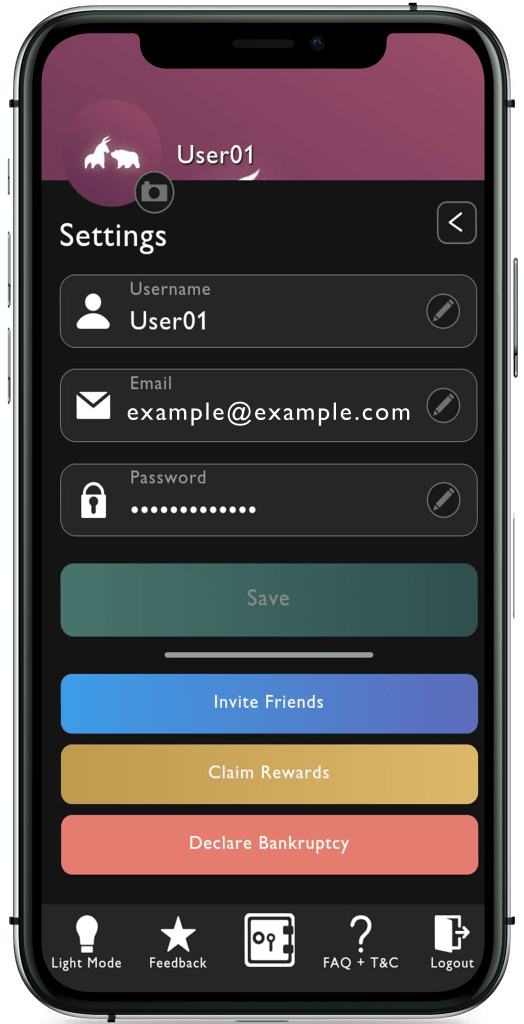
You can access the settings page by clicking the gear button on the right hand side of the vault.

The settings page has been revolutionised to be as easy as possible to change any information as quickly as possible.
In addition, you can also access the FAQ’s and T&C’s at the bottom, Invite friends, claim rewards and even Declare Bankruptcy if you need a refreshment in your trading practice career.

Rewards

When you battle other players, it doesn’t feel like a chore, but rather a sensational victory feeling! You learn as you play along where your winning tokens can be used to redeem voucher rewards which include Amazon and Netflix.

Brokers

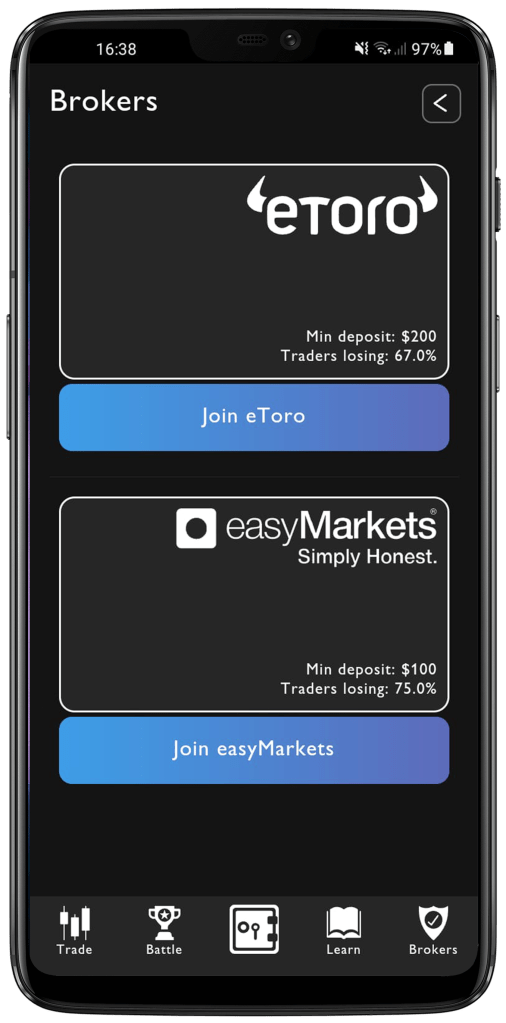
Lastly, we have a list of brokers that we have chosen to be the best path for you to take out in the real world.


Download the BullBear Trading Simulator App by pressing the button below and start your gaming to earn rewards!

BullBear Quiz Feature

How to use our BullBear quiz feature!

Download the trading simulator app on either your android or ios phone using the links below.


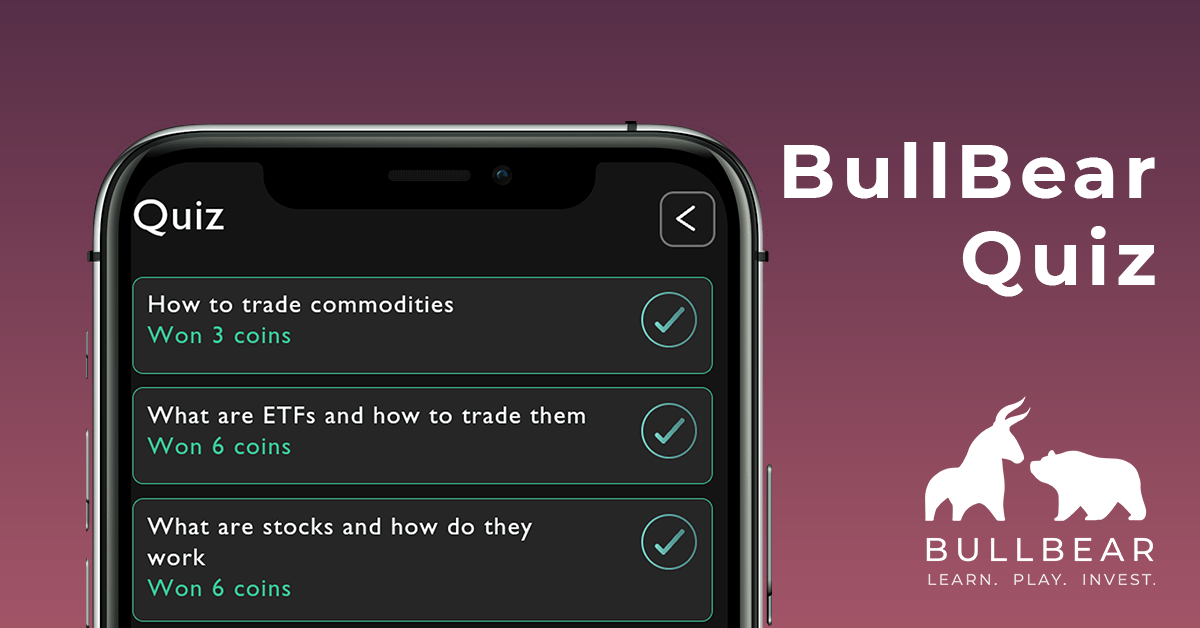
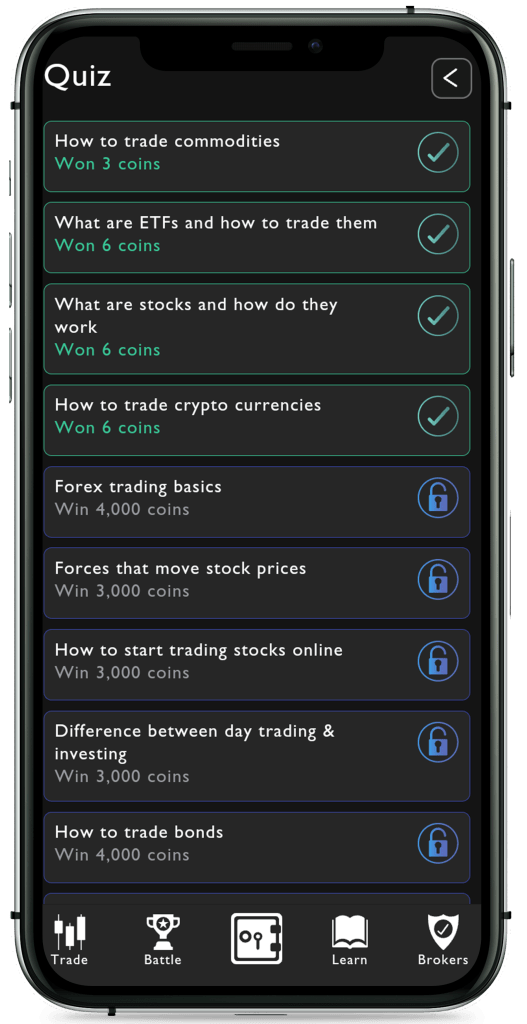
You have a selection of different topics at different difficulty levels to help you learn the correct answer.

Each quiz has an article attached to it, where you can read it as many times as you want before starting the quiz. The questions will be based on aspects of that article so make sure you read it thoroughly – you may learn an extra thing or two.

NOTE: please remember the quizzes are information purposes only, not as financial advice.

Each quiz has a 4 minute timer, with each broken into 3 or 4 question. The amount of coins you earn depend on how many questions you get right, so don’t feel down if you didn’t get the correct answer.

The downside is once you have finished a quiz, you may not be able to re-do it, nor read the article. So make sure you’re fully sure before starting the quiz.


BullBear Battle Simulation Feature

How to use our BullBear battle simulation!

Download the trading simulator app on either your android or ios phone using the links below.

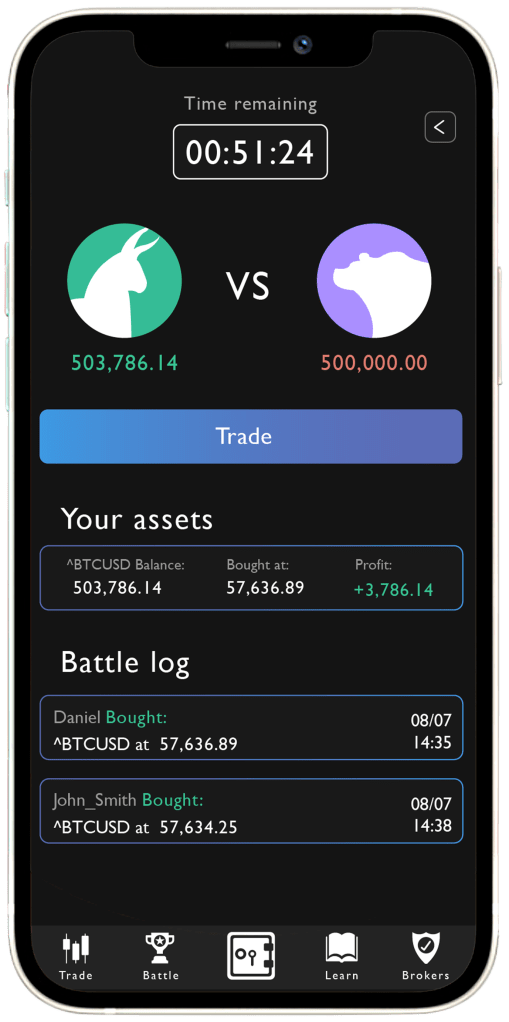
The battle simulation is one of the 3 main features of the BullBear trading simulator app.

You currently have 5 different battle simulation options to face other players;
Duel – Free entry cost
Tech Sector – Entry cost of 10,000 coins
Digital Currencies – Entry cost of 10,000 coins
Popular ETFs – Entry cost of 30,000 coins
Healthcare Sector – Entry cost of 30,000 coins

Each of these battles offer a unique experience on how to trade but all share a common goal, be the player to gain the most profits overall. In addition, each battles have a time limit, with the duel being the least at 1hr – but fortunately, you are not limited to how many duels you can play at once – “It’s time To Duel”!

When you battle other players, it doesn’t feel like a chore, but rather a sensational victory feeling! You learn as you play along where your winning tokens can be used to redeem voucher rewards which include Amazon and Netflix.

So don’t stop here, download the trading simulator app below and demonstrate your talents to be crown the victor!


BullBear Trade Feature

How to use our BullBear trade feature!

Download the trading simulator app on either your android or ios phone using the links below.

Trading Floor

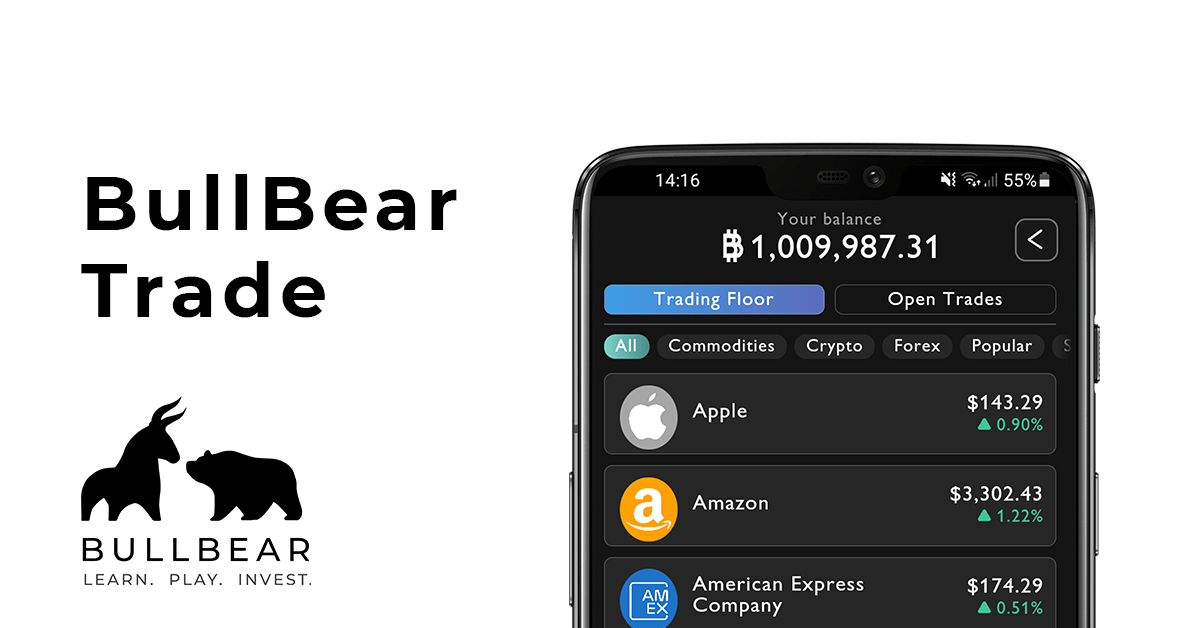
The lifeblood of the trading simulator app, the trade is the centre of everything we do at BullBear.

On our trading floor, you have 6 categories to choose from;
Commodities (Gold, Silver, Oil)
Crypto (Bitcoin, Ripple, Ethereum)
Forex (GBP/USD, USD/JPY, EUR/GBP)
Stocks (Apple, Amazon, Google)
Popular (The most popular options people trade with)
All (All the above together)

Continue below to see the trading screen of a specific stock option.

Stocks

This is the trading screen for a specific option. In this case, we’ll be using the Bitcoin as an example.

The graph shows the trends depending on what you want to look at with 4 hours, 1 day, 5 days, 1 month and 1 year. All the graphs are correct with real stock prices, and the updates occur every minute.

Below you have your available funds to spend (Not to be confused with Total Balance) and an option to either buy or sell by inputing a specific number or a percentage of your available funds.

Open/Closed Trades

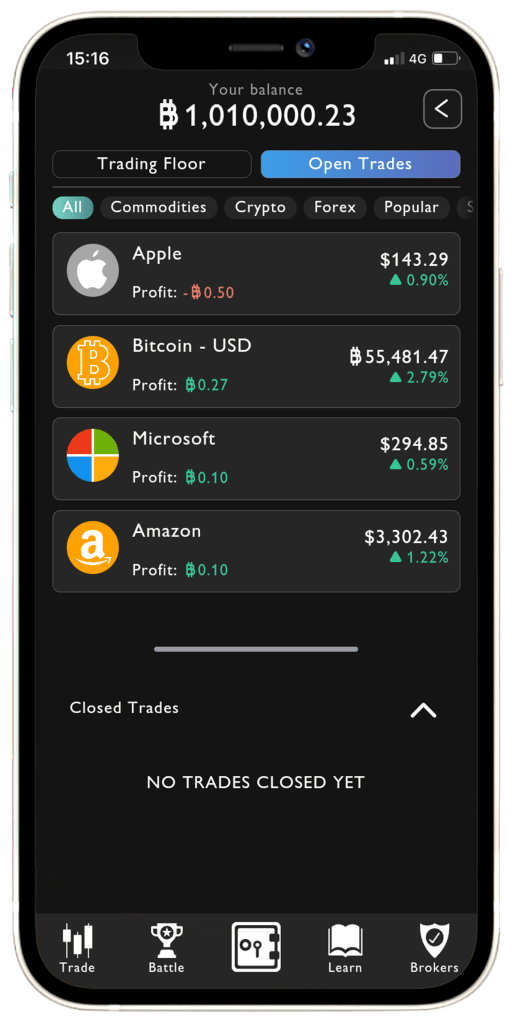
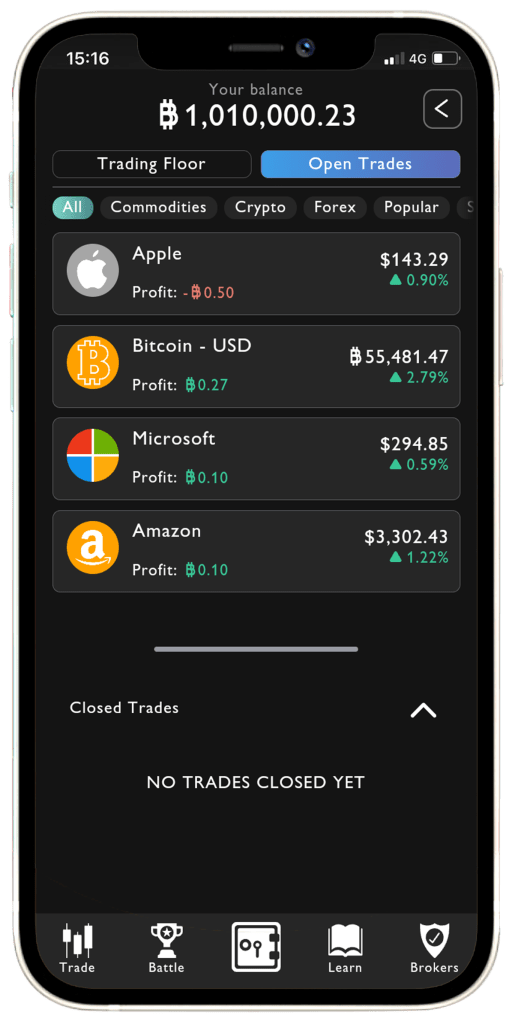
The second aspect of the trading screen is the Open Trades. The open trades essentially is what you have traded, you can see the your profits easily on this screen, but to see how much you traded you need to click on the stock.

Like before, all prices are updated every minute.

The closed trades aspect is all your trade closures, so if you decide to sell Bitcoin from your open trades, it will move to the closed trades along with information such as profits/loss, percentages and others giving you the best real-life experience on trading.

Now you know how the trading feature works on the BullBear trading simualtor app,
We hope its not too much information at once, the update has made it extremely easy to understand so your journey starts as easy as possible without feeling pressured. Remember, stick to this before you’re ready to venture out.

Download the trading simulator app by clicking the button below
and we look forward to helping your lifestyle change forever!


BullBear Vault Feature

How to use our BullBear Vault feature!

Download the trading simulator app on either your android or ios phone using the links below.


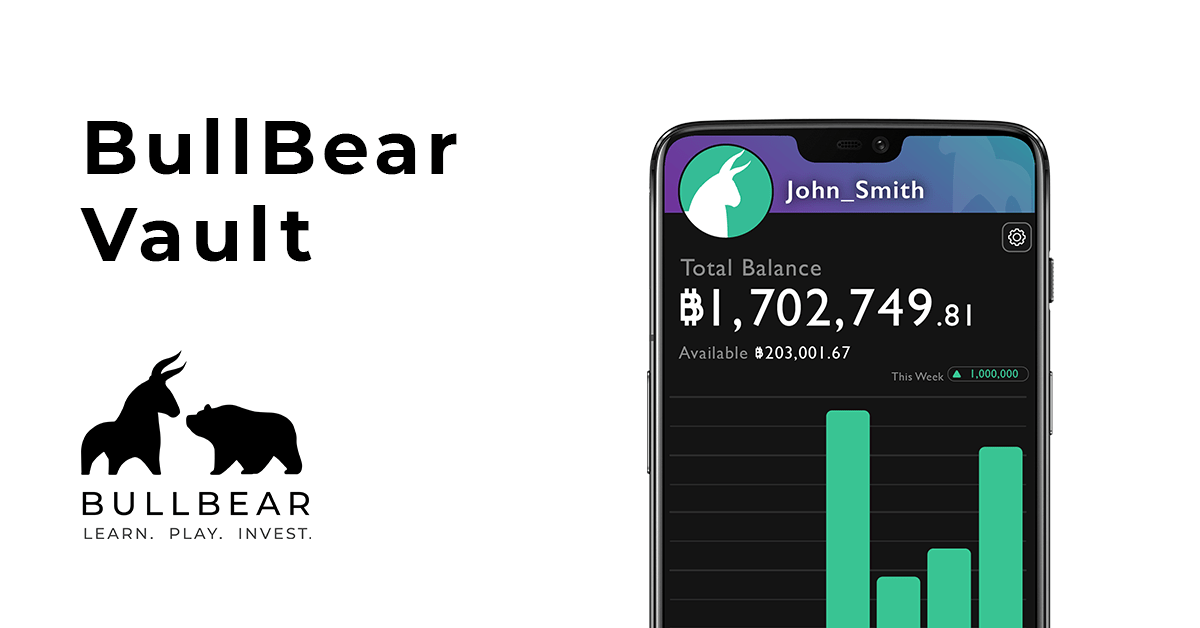
The Vault is the first thing you see when you sign up or log-in to the app.
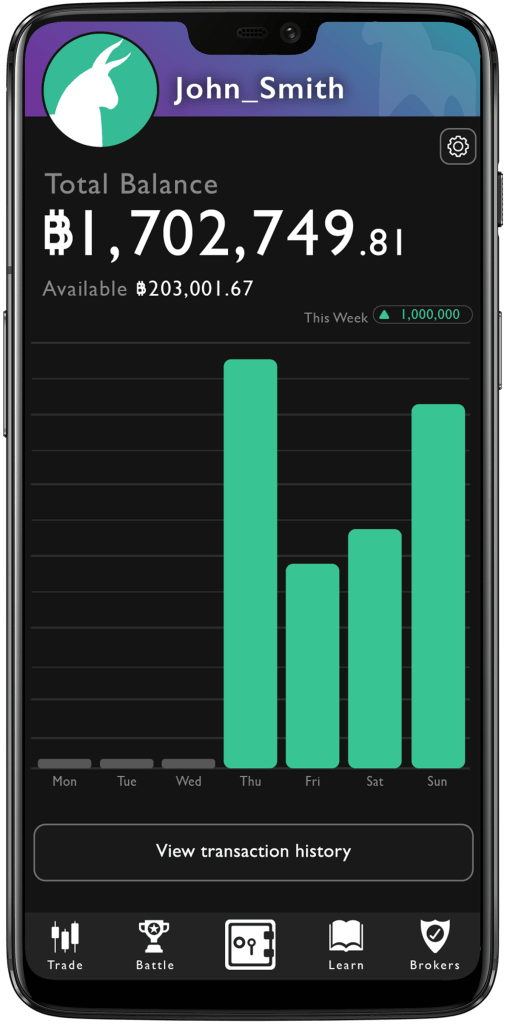
Here you can see your total balance of your account, this includes your price as well as any profits/losses at the top, and your available money left just below.

The graph shows you your profits or losses throughout the current week, as well as an indicator of your preview week in the corner.


Lastly, you can view your transaction history which includes all trades and battle simulation transactions.

With that said, we hope the vault and the other features has made you interested in our update which has made the quality of life and user experience so much easier to play – You can download the app using the button below and start practicing.


BullBear App – New Update Features

A short introduction to all the features on the BullBear Trading Simulator App

Download the trading simulator app on either your android or ios phone below!


Vault (Home Screen)

The Vault is the default home screen you log-in to the app. Here, you’ll be able to see your balance and transaction history.

Trading

The biggest feature of the trading simulator, the trading screen houses both the Trading Floor and Open Trades. The trading floor is broken in 6 parts; All, Commodities, Crypto, Forex, Popular, and Stocks. While not every stock option is on the app, but we have a variety of popular options available for you to practice on.

The Open Trades screen is our current open trades, where you can easily view your profits and percentage increase/decrease. In addition, you can also view or hide your closed trades history by clicking the arrow.

Battle

The battle simulation will put not only your knowledge but also your practice skills to the test against other players to the test. You have 5 different battle options, the bigger the entry fee, the bigger the prize.

Learn

This screen is one of the most important parts of the trade simulator. Before answering the questions, you have a chance to read a small article in which the questions will test you on, or you can put your knowledge to the test and win some coins as rewards, depending on how many questions you answer correctly.

Settings

Easily found on the Vault (Home Page) by pressing the gear icon, this is the place where you can do a number of things such as;
– Switch between light and dark mode
– Change account username, email and password
– FAQ’s and T&C’s
– Claim Rewards – Turn those hard earned BB Coins into rewards
– Declare Bankruptcy – Where you can start all over again once you have no money left

Don’t forget to invite friends to receive bonus coins to your account!

Brokers

When you are ready to head out to the real world of trading, consider using Etoro or easyMarkets both which have an easy to use app for all trades in stocks, forex, cryptocurrencies and commodities.


Download the trading simualtor app to start practicing trading in commodities, cryptocurrencies, forex, stocks as well as learning different aspects and showcasing your talents against other players today!
Click the button below.